🤝 How to Safely Share Passwords Without Texting Them (2026)
On this page
Password sharing is the practice of giving another person access to an account you control. Done safely, it means granting access through an encrypted password manager that hides the actual characters — not sending them over text, email, or chat, where they sit in plaintext and can be intercepted, forwarded, or leaked.
Almost everyone shares a login at some point: a streaming account with family, a Wi-Fi password with a guest, a company tool with a coworker. The instinct is to fire off the password in a text message or Slack DM because it takes two seconds. That habit is also one of the quietest ways credentials leak — the password becomes a permanent, readable record in at least two places you no longer control. This guide explains why plaintext sharing is risky, and exactly how to share access safely without ever revealing the password itself.
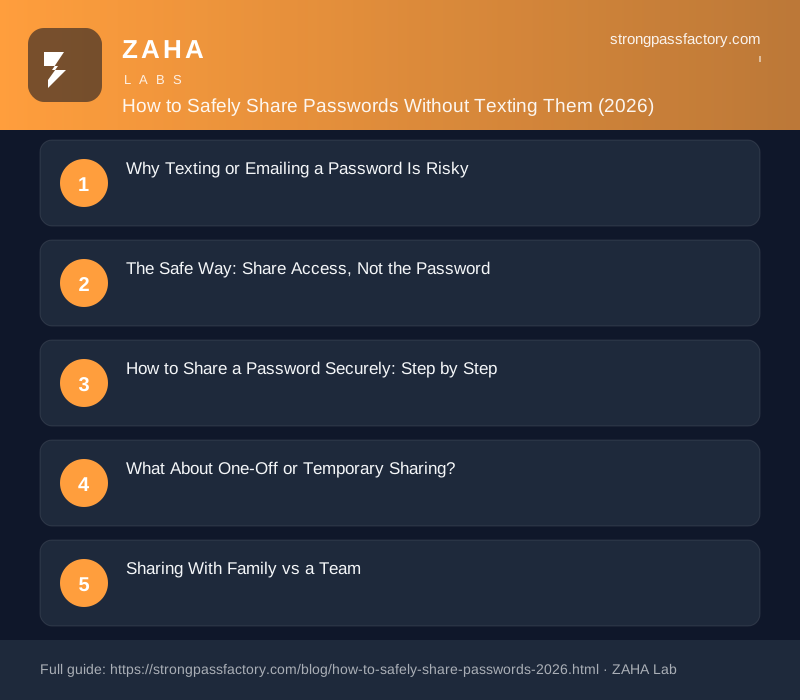
Why Texting or Emailing a Password Is Risky
A password is only secret while it lives in one protected place. The moment you paste it into a message, it multiplies: a copy sits in your sent folder, another in the recipient's inbox, and often a third on the messaging provider's servers. None of those copies is encrypted the way a password vault is, and none disappears when you stop needing to share.
This matters because credential theft is the engine behind most account takeovers. The Verizon Data Breach Investigations Report has for years found stolen and reused credentials among the leading ways attackers break into accounts, ahead of any single software flaw. A password sitting in an old text thread or a forwarded email is exactly the kind of loose credential those attacks harvest. NIST, the U.S. authority on digital identity, treats an authentication secret as something that should stay private to a single user — the instant it is copied into a chat, it stops being a secret and becomes plaintext data on servers you do not control.
The risks compound in specific ways:
- No expiry. A texted password works forever, long after the person needs access — and long after you have forgotten they have it.
- No revocation. You cannot un-send a message. To truly cut off access you have to change the password everywhere it is used.
- Forwarding and screenshots. Once someone has the characters, they can pass them to anyone, and you will never know.
- Reuse leakage. If that password is reused on other accounts — as most are — one shared login can expose several.
The Safe Way: Share Access, Not the Password
The core principle of secure sharing is simple: let the other person use the account without ever seeing the password. Modern password managers are built to do exactly this. You save the login in an encrypted vault, then share the item — not the text — with another person's account. Their manager autofills the password on their device, but the characters stay hidden behind encryption the whole time.
A cross-platform manager such as NordPass handles this with encrypted item sharing and dedicated shared folders. It uses zero-knowledge, XChaCha20 encryption, so even the provider cannot read what is inside your vault, and it lets you share a login as "autofill only" — the recipient can use it but cannot view or copy the password. When the arrangement ends, you revoke access with one click and the shared copy vanishes from their vault. Because you can also rotate the password afterward from the same place, sharing stops being a permanent liability.
| Method | Password visible? | Revocable? | Verdict |
|---|---|---|---|
| Text / email / chat | Yes — plaintext forever | No | Avoid |
| Shared spreadsheet or note | Yes — to anyone with the file | Weakly | Avoid |
| Written on paper | Yes — to anyone nearby | Manual | Only for a sealed home backup |
| Password manager sharing | No — stays encrypted | Yes — one click | Recommended |
How to Share a Password Securely: Step by Step
The flow is nearly identical across managers and takes under a minute:
- Save the login in your password manager. If it is not already stored, add it as a vault item so the manager, not you, holds the characters.
- Choose "Share" on that item or move it to a shared folder. Enter the recipient's email — the one tied to their manager account.
- Set the permission level. Pick "can use / autofill only" so they can log in without ever viewing the password. Grant "can view" only if they genuinely need the characters.
- Send the invite. The recipient accepts inside their own manager; the encrypted item lands in their vault. Nothing readable ever crosses a messaging app.
- Review and revoke on a schedule. Check who has access to what every few months, and revoke anything no longer needed with a single click.
What About One-Off or Temporary Sharing?
Not every situation calls for a permanent shared item. For a contractor who needs access for a week, or a guest logging in once, most managers offer time-limited or single-use options: a shared item you set to auto-expire, or a one-time secure link that self-destructs after it is opened once. These give the recipient exactly the access they need and then close the door automatically — the opposite of a text message that lingers indefinitely. When even that is overkill, the safest "share" is often no share at all: create the person their own separate account or guest profile so nothing is pooled behind a single credential.
Sharing With Family vs a Team
The safe method scales in two directions. For family, a shared vault or family plan lets everyone reach the streaming, utility, and household logins they need, while each person keeps a private vault for their own accounts. For a team or business, shared folders organized by role — marketing, finance, support — mean access follows the job, not the person. When someone leaves, you remove them from the folders and their access ends instantly, with no scramble to remember which passwords they once saw. In both cases the win is the same: access is granted, tracked, and revoked centrally, instead of scattered across inboxes and chat histories.
Affiliate disclosure: some links below are affiliate links. If you sign up through them we may earn a small commission at no extra cost to you. Our password generator is free to use, and we only recommend tools we would use ourselves. See our full affiliate disclosure.
FAQs
Is it ever safe to share a password over text?
Not really. A texted password becomes plaintext stored in your sent messages, the recipient's inbox, and usually the carrier's servers — none of it encrypted like a vault, and none of it revocable. If you have no other option in the moment, treat the password as compromised and change it as soon as the person is done using it. The safe long-term answer is always to share through a password manager instead.
How do I share a password without the other person seeing it?
Use a password manager's sharing feature and set the permission to "autofill only" or "can use." The recipient's manager fills the login on their device, but the characters stay hidden behind encryption, so they can access the account without ever reading or copying the password. You can revoke that access, or rotate the password, at any time from your own vault.
What is the safest way to share a Wi-Fi or streaming password with family?
Put it in a shared folder or family vault inside a password manager, so household members can autofill it without it ever being texted around. For Wi-Fi specifically, most phones can also generate a QR code that lets a guest join without typing or seeing the password at all. Both approaches keep the credential out of chat threads where it would otherwise live forever.
Can I take back a password after I have shared it?
Only if you shared it through a manager. Sharing an encrypted item lets you revoke access with one click, and the shared copy disappears from the other person's vault. If you shared the actual characters — by text, email, or voice — you cannot truly claw it back; your only real option is to change the password so the old one no longer works.
Do password managers make sharing secure enough for a business?
Yes, and they are the standard for it. A zero-knowledge manager encrypts shared items so even the provider cannot read them, organizes access into role-based shared folders, and lets an admin grant or revoke access instantly when people join or leave. That central control — knowing exactly who can reach which account and being able to cut it off in seconds — is far stronger than any spreadsheet or messaging thread a team might otherwise rely on.


